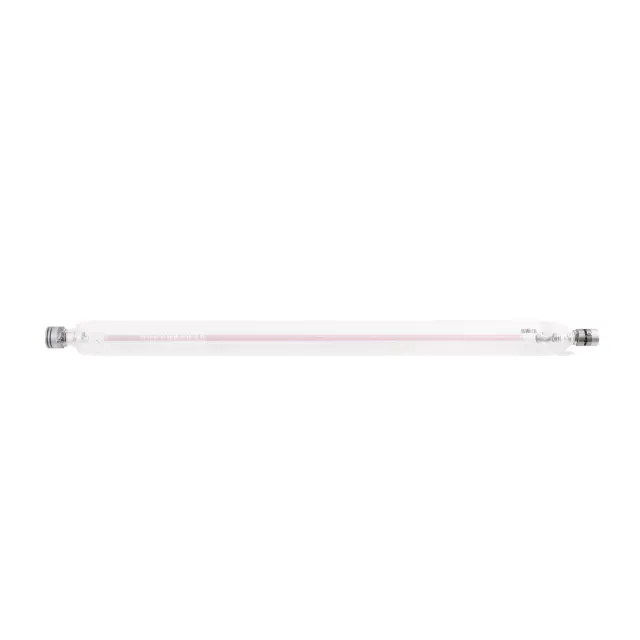
xTool P3 80W CO2 Laser Tube
xTool P3 80W Laser Tube Overview
The xTool P3 uses an 80W CO₂ laser tube. This tube operates at a wavelength of 10.6 μm (10600 nm) and has an expected lifespan of about 10,000 hours. The xTool P3 is classified as a Class 1 laser machine under normal use, but if used with the conveyor feeder, it becomes a Class 4 device. The laser tube is a critical component for cutting and engraving a wide range of materials, including wood, leather, acrylic, PVC, ABS, marble, fabric, and paper. The maximum cutting thickness is 20 mm for wooden boards and 25 mm for transparent acrylic.
See full specifications and supported materials
Replacing the Laser Tube in xTool P3
Important: Always turn off the machine and unplug the power cable before replacing the laser tube.
Tools Required
- New laser tube (80W, compatible with xTool P3)
- Philips screwdriver
- 3 mm hex key
- 2.5 mm hex key
- Absorbent paper
Replacement Procedure
- Power off and unplug the xTool P3.
- Prepare all required tools and the new laser tube.
- Follow the step-by-step instructions in the official video tutorial.
Reference Video:
For detailed written instructions and troubleshooting, refer to the official guide:
Replace the Laser Tube of xTool P3
Additional Notes
- The laser tube’s lifespan is approximately 10,000 hours. Replace it when you notice a significant decrease in power output.
Original: $699.00
-65%$699.00
$244.65Product Information
Product Information
Shipping & Returns
Shipping & Returns
Description
xTool P3 80W Laser Tube Overview
The xTool P3 uses an 80W CO₂ laser tube. This tube operates at a wavelength of 10.6 μm (10600 nm) and has an expected lifespan of about 10,000 hours. The xTool P3 is classified as a Class 1 laser machine under normal use, but if used with the conveyor feeder, it becomes a Class 4 device. The laser tube is a critical component for cutting and engraving a wide range of materials, including wood, leather, acrylic, PVC, ABS, marble, fabric, and paper. The maximum cutting thickness is 20 mm for wooden boards and 25 mm for transparent acrylic.
See full specifications and supported materials
Replacing the Laser Tube in xTool P3
Important: Always turn off the machine and unplug the power cable before replacing the laser tube.
Tools Required
- New laser tube (80W, compatible with xTool P3)
- Philips screwdriver
- 3 mm hex key
- 2.5 mm hex key
- Absorbent paper
Replacement Procedure
- Power off and unplug the xTool P3.
- Prepare all required tools and the new laser tube.
- Follow the step-by-step instructions in the official video tutorial.
Reference Video:
For detailed written instructions and troubleshooting, refer to the official guide:
Replace the Laser Tube of xTool P3
Additional Notes
- The laser tube’s lifespan is approximately 10,000 hours. Replace it when you notice a significant decrease in power output.